

How to schedule social media posts for free
When you’re running a small business, finding time to post regularly on your social channels can be difficult. You might start with good intentions, only to find you get bogged down with customer enquiries, meetings and the day-to-day running of your business.
Scheduling social media posts in advance can make managing your channels much easier and means you don’t need to stop what you’re doing to publish something in the middle of the working day. Preparing several posts at once and scheduling them to go live automatically can make posting on social media feel much more manageable.
The good news is you don’t need to pay for a scheduling tool to do this. Facebook, Instagram, LinkedIn, TikTok and other platforms offer their own scheduling features for free.
In this guide, we show you how to schedule social media posts for free, which tools you can use and how to create a manageable content schedule for your small business.
What does scheduling a social media post mean?
Scheduling a social media post means preparing your content in advance and choosing a future date and time for it to be published.
Once you’ve scheduled the post, the platform or scheduling tool will publish automatically so you don’t need to be logged in or available at the time to post it.
This allows you to schedule videos, images, reals, texts posts and more depending on the platform you’re publishing to. The exact options vary from platform to platform so check the post before scheduling your content.
Why should you schedule social media posts?
Scheduling content is not just about saving time. It can also help you take a more organised and consistent approach to social media marketing.
Maintain a consistent presence
You don’t need to post every day but it’s helpful to maintain a schedule that your audience can recognise. Scheduling posts in advance prevents your social channels from becoming quiet whenever your business gets busy.
Create content in batches
Writing one post at a time isn’t always the best way to maintain your social media presence. It can take time to find an idea, write the copy, create the visual and check everything before publishing.
Writing posts for the week or month ahead helps you to focus your time and create a batch of posts ready to write, schedule and check together. You could sit down at the start of every month and plan all the topics you’re going to post about, write all the captions and create all the graphics, images or videos.
Publish at more suitable times
You might want a post to go live when you’re working, travelling or spending time away from your business. Scheduling allows you to publish at a time when your audience is likely to be online without interrupting your day.
Plan a better mix of content
Planning your content out over the week and month allows you to see whether you’re publishing posts that are similar.
Check that you’re including a useful mix of:
Educational advice
Answers to customer questions
Behind the scenes content
Product or service promotions
Customer reviews
Blog posts
Company updates
Seasonal updates
Reduce mistakes
Planning ahead gives you more time to check links, spelling, images and calls to action before your posts are published. This can be helpful when you’re promoting an event, offer or time-sensitive announcement.
How far ahead should you schedule social media posts?
How far in advance you want to publish content is up to you. Two to four weeks ahead provides a good balance and enables you to post content that’s relevant and leaves space for seasonal or time-based content.
You can schedule fixed posts but still add reactive posts about company news, industry developments or something happening that day.
Avoid scheduling every post months in advance as information can change, links can stop working and content that originally felt relevant may no longer suit the conversation.
How to schedule your social media content for free
Before you open your scheduling tool, create a simple content plan. Youdon’tneed specialist software to do this. A simple spreadsheet, calendar or shared document will work well.
Add columns for:
Publication date
Platform
Topic
Caption
Image or video
Link
Call to action
Each post can then be marked as planned, written, ready for approval or scheduled.
If you’re stuck for ideas, start by adding fixed dates such as events, new product launches, awareness days and seasonal dates. You can then fill the remaining spaces with useful evergreen content.
A simple weekly schedule might include:
Tuesday: Answer a common customer question
Thursday: Share something about an awareness day or event
Saturday: Promote a product, service or recent blog
The right frequency depends on your audience, resources and platforms. It’s better to publish two useful, well-written posts per week than it is to write seven rushed, promotional posts with very little value.
How to schedule Facebook and Instagram posts for free
Meta Business Suite allows you to manage and schedule Facebook and Instagram content without paying for a third-party tool.
Your professional Instagram account will usually need to be connected to the relevant Facebook page for you to be able to schedule posts on both channels.
Scheduling a post through Meta Business Suite
Open Meta Business Suite and select the correct business account
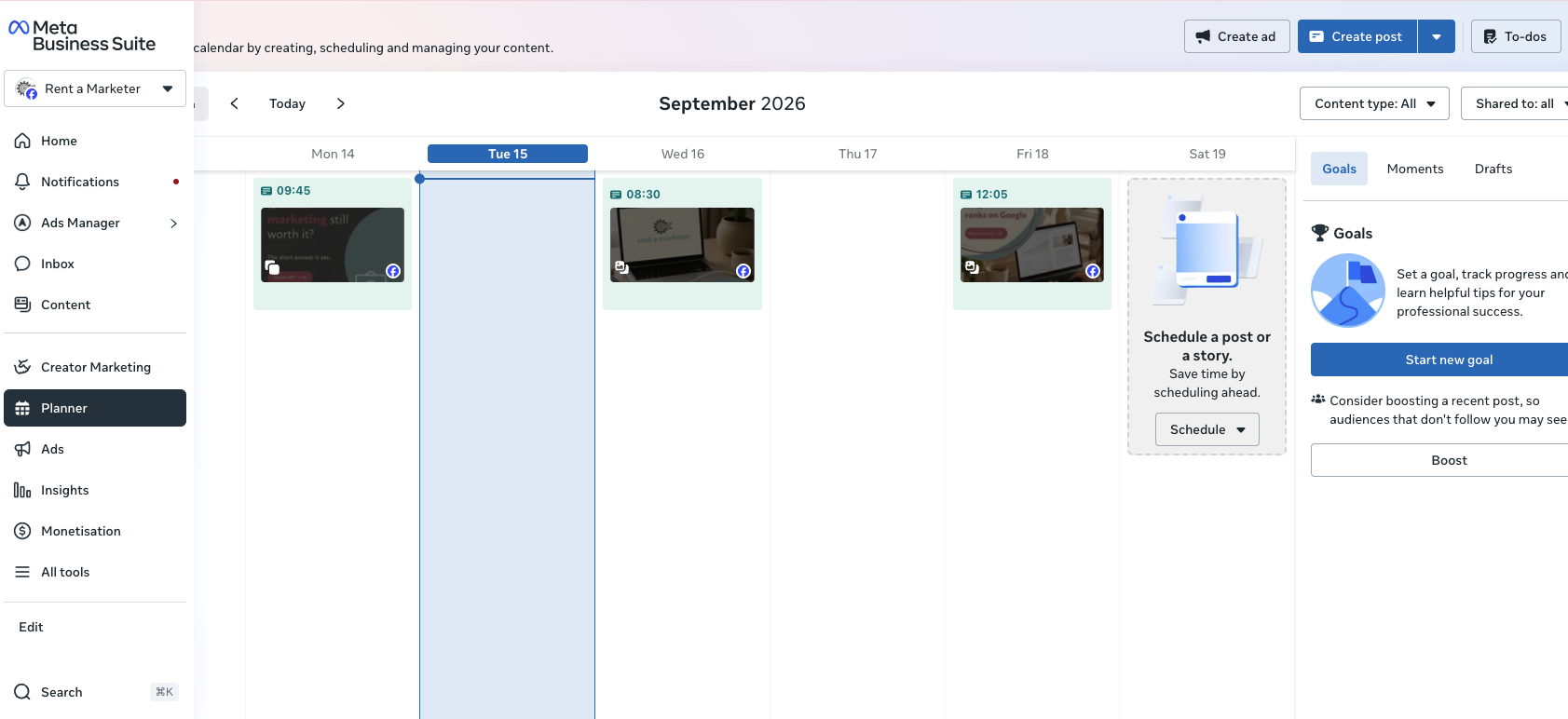
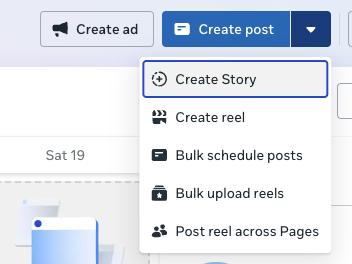
Choose whether you want to create a post, Story or Reel
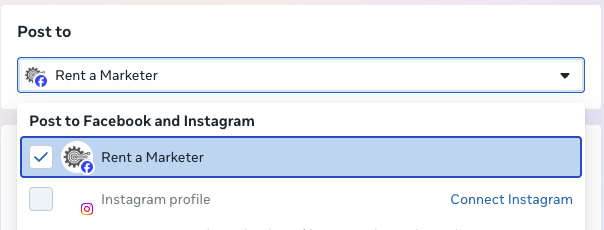
Select Facebook, Instagram or both platforms
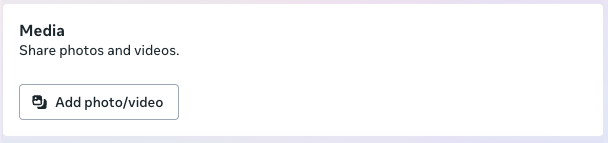
Upload your image or video
Add your caption, link and any other relevant information
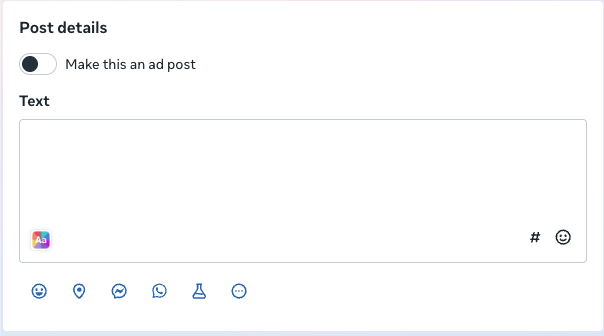
Check the previews for Facebook and Instagram
Select the schedule option rather than publishing immediately
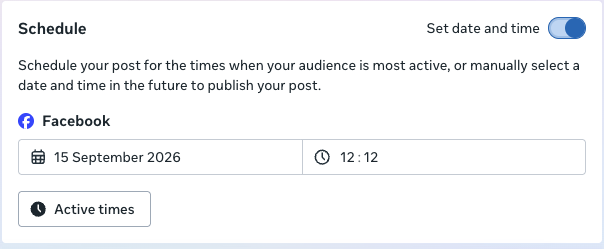
Choose your preferred date and time
Review the post and confirm the schedule
You can then view scheduled content in the planner which makes it easy to move posts, fill gaps and check the overall balance of your content.
Should you use the same post on Facebook and Instagram?
You can publish the same content on both platforms, but it’s worth adapting it where necessary.
Facebook posts can contain clickable links within the caption whereas, links in standard Instagram captions are not normally clickable, so you may need to direct people to the link in your profile instead.
Before scheduling one post to both platforms, preview each version and make necessary changes.
How to schedule LinkedIn posts for free
LinkedIn is another social platform that allows you to schedule posts both from your personal profile and your company page without using an external tool.
To schedule a LinkedIn post:
Select ‘Start a post’ or 'Create' from your LinkedIn homepage or company page
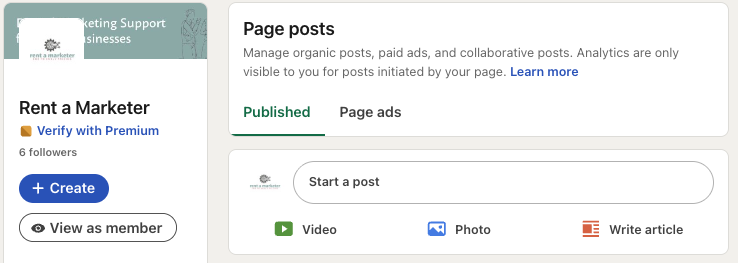
Write your post and add any images, videos or documents
Select the clock icon next to the Post button
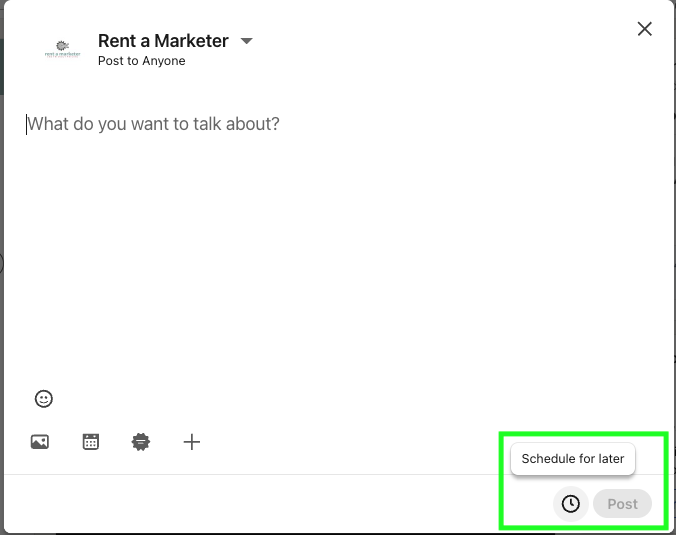
Choose the date and time you want the post to be published
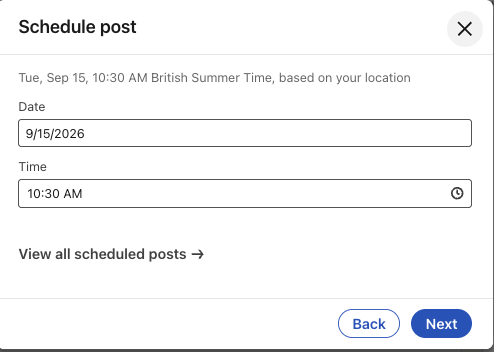
Select Next and check your content
Select Schedule to confirm
You can then view, manage, edit and delete your scheduled posts by opening the scheduling window and selecting View all scheduled posts.
Scheduling posts in this way enables you to keep either your personal or company page active and updated without interrupting your working day. However, it’s a good idea to check in on the posts and comments and respond where needed.
How to schedule TikTok posts for free
TikTok provides native scheduling options if you have an eligible account. Whether this feature is available will depend on the type of account you have, the device you’re using and your location, so you’ll need to check the publishing options on your account.
Where scheduling is available, you should be able to schedule content by uploading it through the desktop app.
Log into your TikTok account in your web browser
Select Upload
Upload your finished video
Add your caption, cover image and any other relevant details
Check the video and caption carefully
Turn on the scheduling option
Select the date and time you want the video to be published
Confirm the schedule
Double check your video and post before scheduling it. There might be some elements you can’t edit once the post has been scheduled so you’ll have to delete it and upload it again if you see a mistake.
Scheduling posts using third-party tools
Third-party social media scheduling tools enable you to manage content for several platforms in one place. This means you can schedule the same post across multiple channels without having to log into the individual platforms.
Some of these tools provide free plans but the number of social accounts, users or posts you can schedule will be limited.
These tools can be useful if you want to save time and manage multiple different platforms, view all social posts in one calendar or manage social media accounts for more than one business.
Whether or not you use a third-party tool will depend on your business and your needs. If you only use Facebook and Instagram, Meta Business Suite’s scheduling tool could provide everything you need. However, if you want to post across multiple channels, a scheduling tool might simplify the process and help you save time.
Remember not to just schedule posts and forget about them
Scheduling content helps to save time and ensures your social channels stay active when you haven’t got time to post or manage your channels every day.
Social media is a marketing tool that encourages active engagement between your business and your customers so it’s important to check in on your posts and like or reply to comments when needed.
Once posts have been scheduled, regularly check for comments, shares and other engagements so you can engage back and build a personality for your business.
Make social media scheduling more manageable
You don’t need to prepare months of content or post on every available platform. Start with a schedule that works for the time and resource you have available. If that means posting once a week, it’s a start and you can build from there.
Choose one or two platforms where your customers are most likely to spend their time and decide how frequently you can publish useful content. Many business owners find it easier to set aside time either at the start of the month or the end of the week to prepare and schedule posts.
Keep an eye on your platforms to see which platforms, topics and post formats are the most successful. You can then focus your time and effort on the channels that work best for your business and audience.
Scheduling content in this way can help you maintain a consistent presence without having to stop the day-to-day running of your business. Create a simple content plan, prepare your posts in batches and schedule them a few weeks in advance. Leave room for timely updates and keep an eye on your accounts for comments and shares.
If you’re still struggling to find time to prepare and schedule your social media posts, Rent a Marketer can help you manage your social media channels and produce useful and relevant content that reflects your business.Contact us today to find out more about how we can support your social media marketing.